Today, in one glance.
Screen time, check-ins, your longest break, and a same-time comparison—together without turning your day into a score.
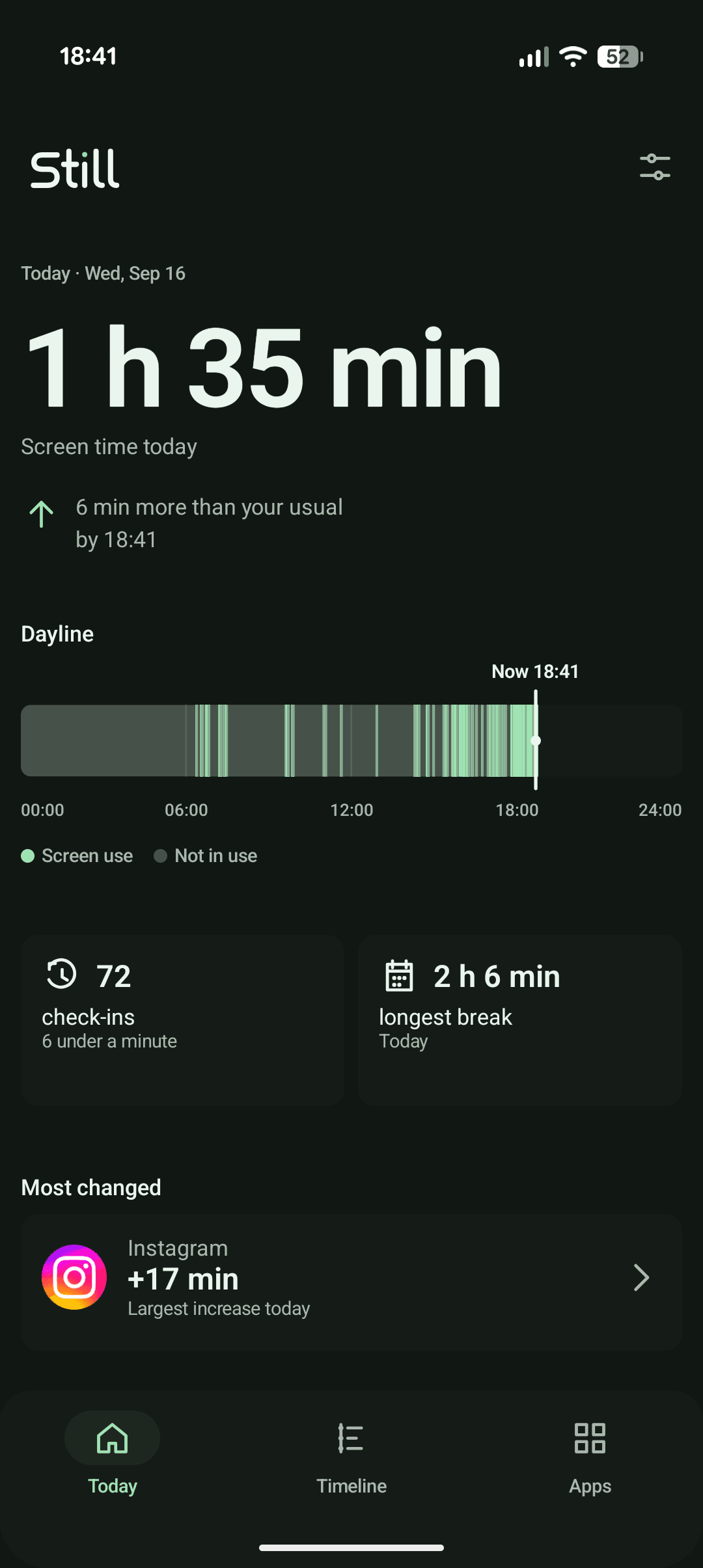
Still turns Android's local usage history into a clear picture of your day. No account, no ads, and no analytics watching back.
Android 9 and newerScreen time, check-ins, your longest break, and a same-time comparison—together without turning your day into a score.
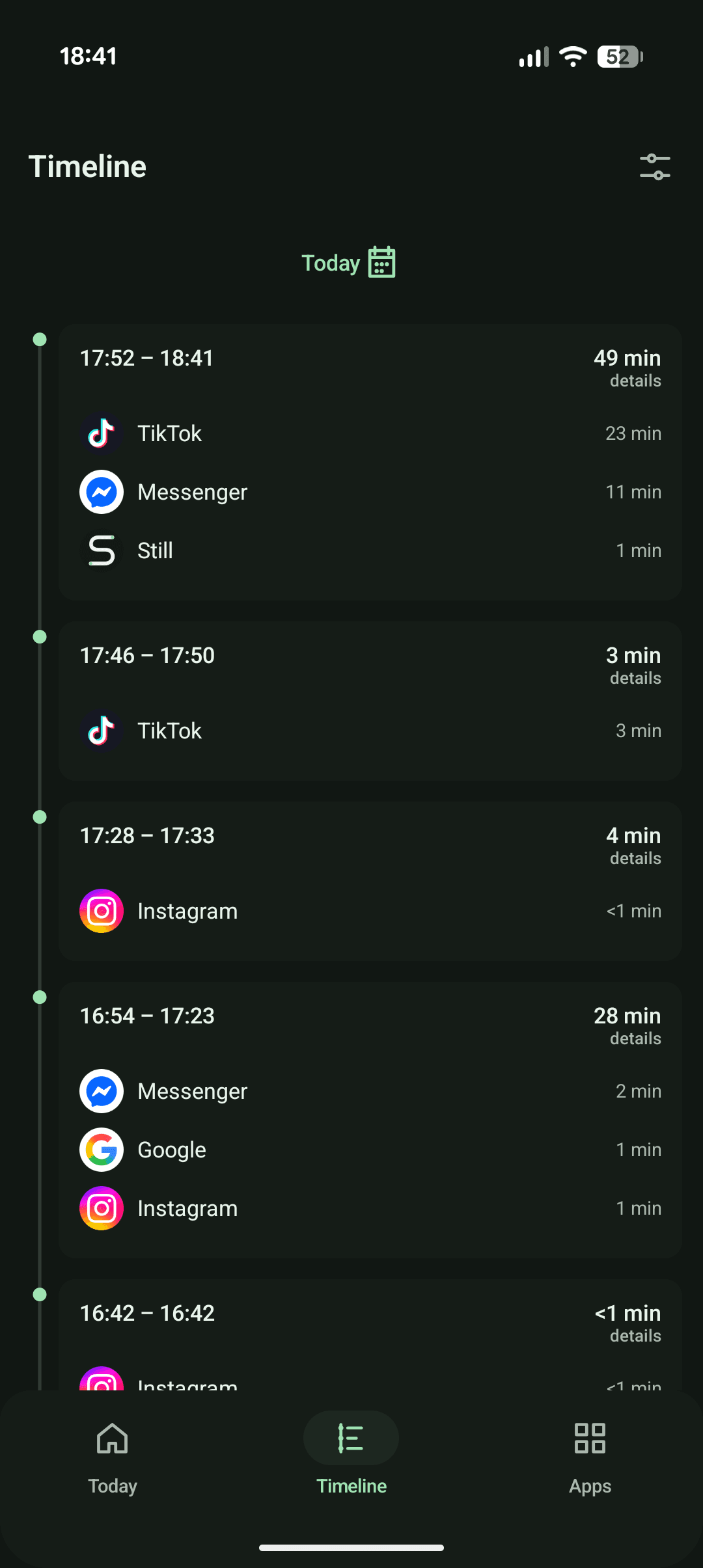
Still rebuilds Android usage events into a readable timeline of phone sessions, durations, and the apps inside them.
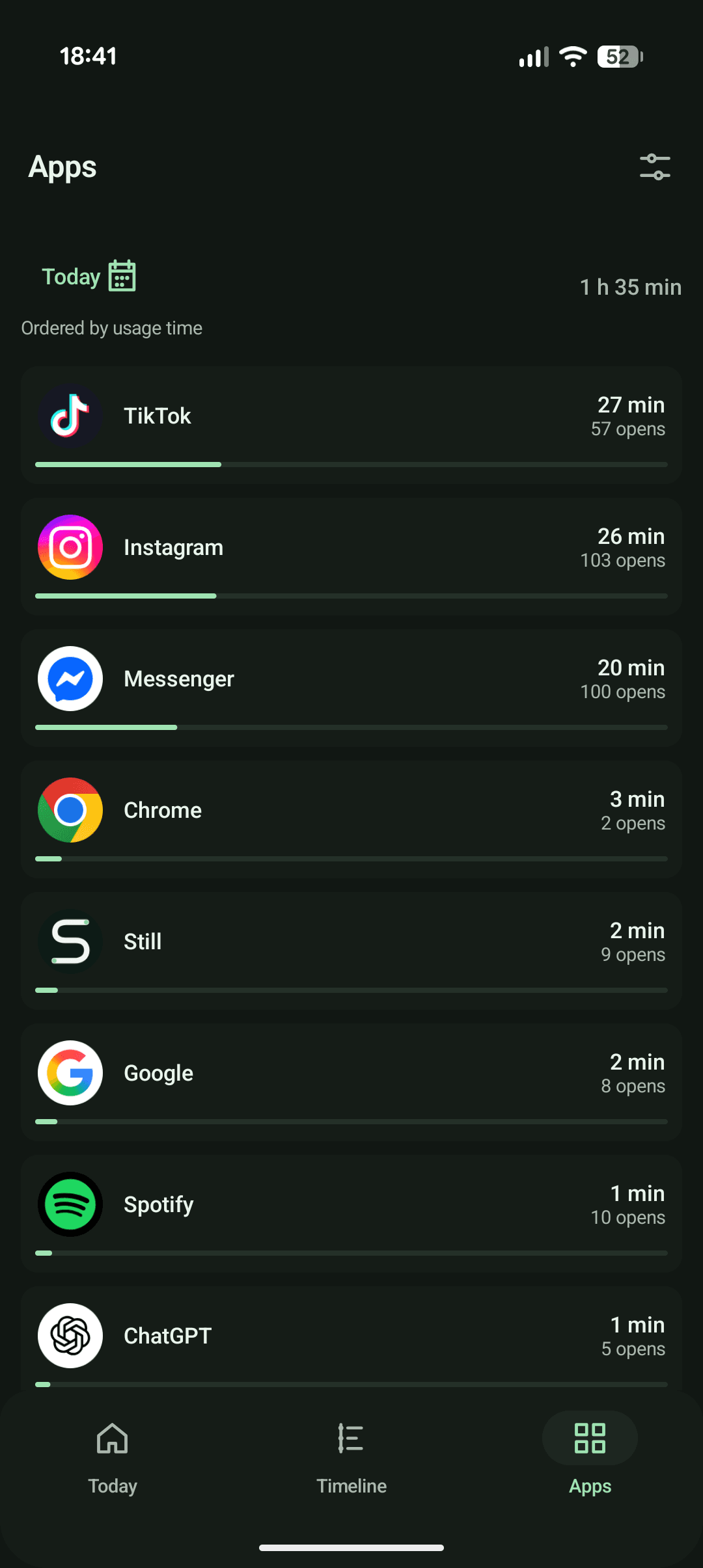
Browse daily app usage, open counts, and share of screen time without alarmist limits or attention-grabbing charts.
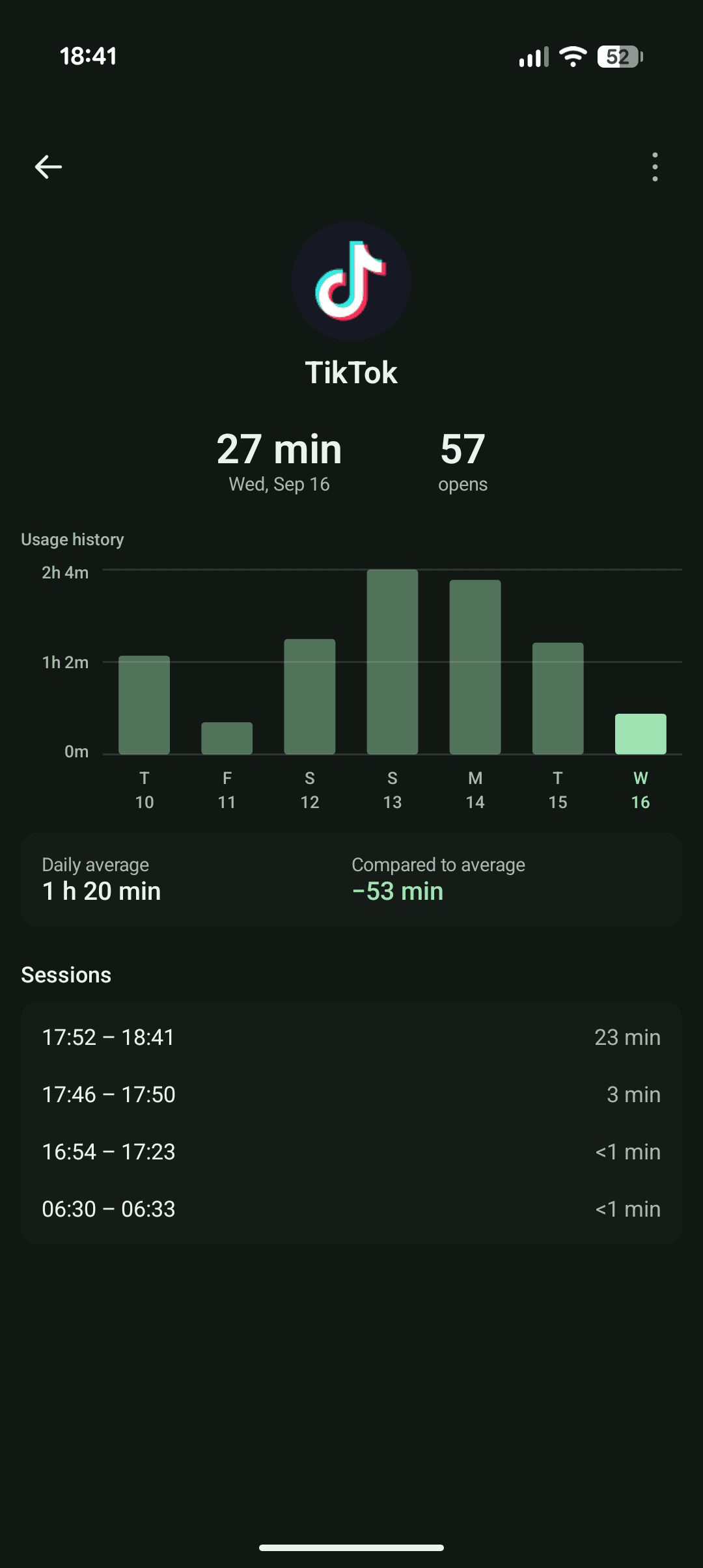
Open an app to see its usage history, daily average, comparison, and the individual sessions behind the total.
Dayline keeps quick checks and longer stretches in one continuous view, so patterns stay visible without becoming a score.
Still reads Android usage events and keeps its compressed history on your device. There is no account and no remote analytics SDK.
Read the privacy model (opens in a new tab)Usage history is analyzed on your phone.
Saved history is excluded from Android cloud backup and device transfer.
Turn off archival or delete Still's saved history at any time.
Still ships as a direct Android download. There is no sign-up and your usage history never needs to leave your phone.
Get the latest published release directly from GitHub.
Your phone may ask you to approve installation from your browser.
Still guides you to Android settings, then starts building your private history.